
More than two billion e-passports are in circulation today, yet most identity verification workflows treat them no differently from a standard printed booklet. That gap represents both a security risk and a missed opportunity. The contactless NFC chip embedded in every biometric passport contains cryptographically signed identity data that optical scanning alone can never validate.
E-passport verification — reading, decrypting, and authenticating that chip — is the gold standard for document-based identity checks. It is the only method that can prove a passport has not been tampered with, that the chip has not been cloned, and that the data on the chip matches what was issued by the government authority that printed the document.
This guide covers everything: how the NFC chip stores data, the full authentication protocol stack, the public key infrastructure behind it, common attacks and their mitigations, and how to add compliant e-passport verification to your own application.
What Makes a Passport Electronic?
An electronic passport — commonly called an e-passport or biometric passport — is a standard passport booklet with a contactless integrated circuit (IC) chip and antenna embedded in the cover or a data page. The chip communicates using the ISO/IEC 14443 contactless protocol at 13.56 MHz, with a read range of approximately 10 centimetres.
The gold biometric symbol printed on the passport cover indicates the presence of the chip. ICAO first standardised e-passports in 2004 through Doc 9303, and adoption across ICAO member states accelerated rapidly after the US and EU mandated NFC chips in passports issued from 2005 and 2006 respectively.
The critical distinction between an e-passport and a conventional passport is not the physical chip — it is what the chip enables: a cryptographic proof that the passport data is genuine and unmodified, issued by a recognised government authority, and that the specific chip in your hand has not been replaced or cloned.
What Data Is Stored on the NFC Chip?
The chip organises its data according to the ICAO Logical Data Structure (LDS), a hierarchical file system that groups information into standardised Data Groups (DGs). Each Data Group holds a specific type of information, and each is individually hashed and signed so any modification can be detected.
Mandatory Data Groups
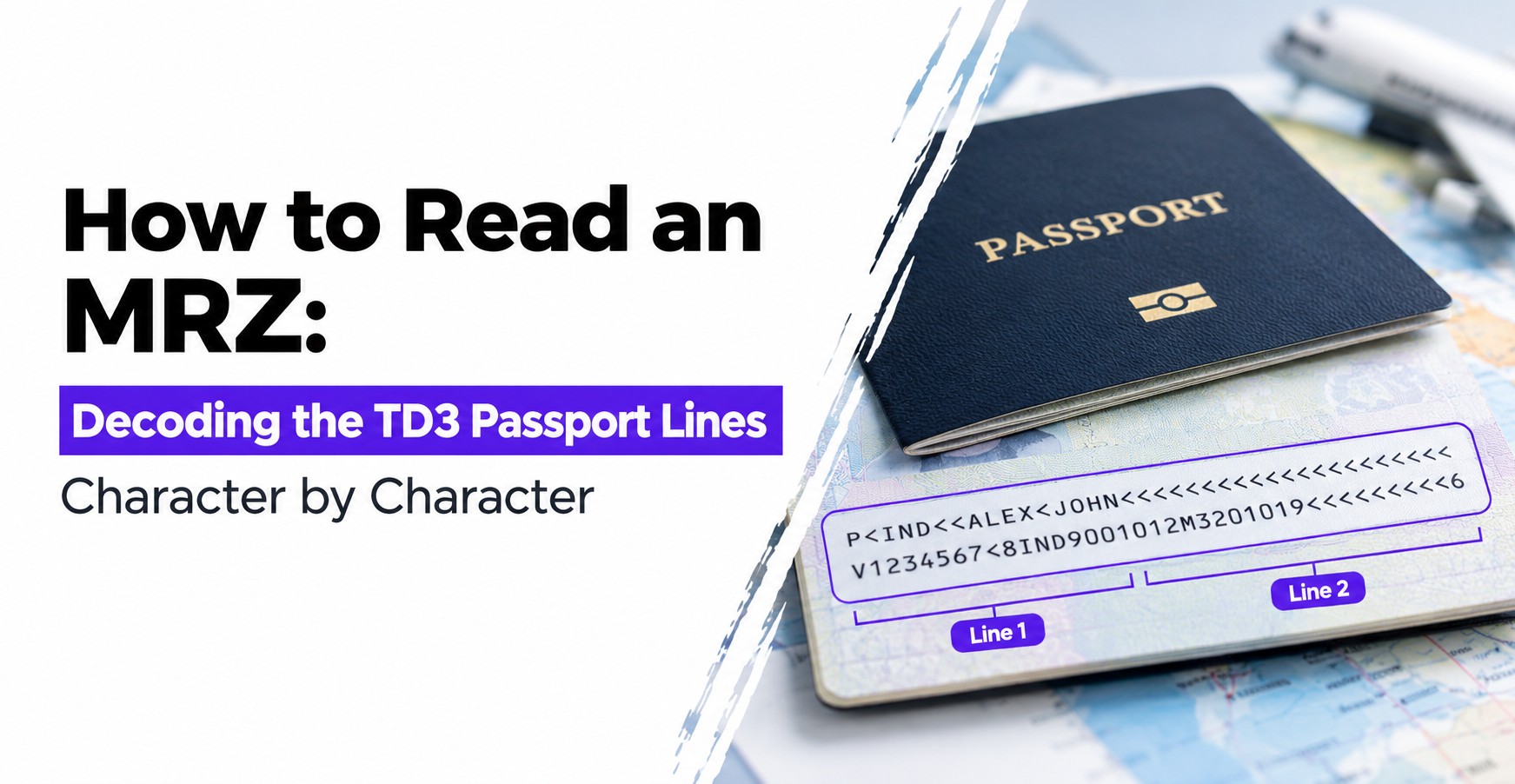
- DG1 — MRZ Data: The same two-line, 88-character string that appears in the passport's Machine Readable Zone, including document number, nationality, date of birth, expiry date, and name.
- DG2 — Facial Image: A digital facial photograph in JPEG or JPEG 2000 format. This is the primary biometric and is mandatory in all e-passports.
- EF.SOD — Document Security Object: A signed manifest containing hash values of every populated Data Group. This is the root of the entire integrity verification chain.
Optional Data Groups
- DG3 — Fingerprints: One or two fingerprint images. Access requires Extended Access Control and is restricted to authorised border control terminals.
- DG4 — Iris Images: Iris scans. Also gated behind Extended Access Control.
- DG11 — Additional Personal Details: Full name, other names, place of birth, permanent address — fields that may not fit the MRZ.
- DG12 — Additional Document Details: Date and place of issue, name of issuing authority, endorsements and observations.
- DG14 — Security Info: Chip Authentication and EAC protocol parameters used to negotiate the secure channel.
- DG15 — Active Authentication Public Key: The public key corresponding to the private key stored permanently inside the chip hardware, used in the legacy Active Authentication protocol.
The EF.SOD is not a Data Group but a separate file on the chip. It contains the hash of each populated DG, signed with the issuing state's Document Signing Certificate (DSC), which is itself signed by the issuing state's Country Signing Certificate Authority (CSCA). Verifying this chain is the foundation of e-passport verification.
The Authentication Protocol Stack
E-passport verification is not a single step. It is a layered stack of protocols, each addressing a different security property. Understanding the full stack is essential for building a compliant verification workflow.
Step 1: Basic Access Control (BAC) and PACE
Before a reader can access any chip data, it must establish a secure session. This prevents unauthorised readers from skimming chip data from passports in bags, pockets, or mail.
Basic Access Control (BAC) is the original ICAO mechanism. The reader derives a session key from three values read optically from the MRZ: the document number, date of birth, and expiry date. The chip and reader perform a mutual authentication handshake using these keys and then communicate over an encrypted channel for the rest of the session. Because the keys come from the MRZ, the passport must be physically opened and optically scanned before NFC access is granted.
Password Authenticated Connection Establishment (PACE) is BAC's modern replacement, offering stronger elliptic-curve cryptography, forward secrecy, and support for additional password sources such as the Card Access Number (CAN) printed on the data page. PACE is mandatory in passports issued by EU member states since 2017 and is being adopted globally. Most current e-passports support both protocols and negotiate the strongest one available.
Step 2: Passive Authentication (PA)
Once the secure channel is established, Passive Authentication verifies that the chip data has not been altered since issuance. The reader performs three operations:
- Reads the EF.SOD (Document Security Object) from the chip.
- Recomputes the hash of each Data Group read from the chip and compares the result against the hashes stored in the EF.SOD. Any mismatch means data has been modified.
- Validates the digital signature on the EF.SOD against the issuing state's Document Signing Certificate, and validates that DSC against the Country Signing Certificate Authority root certificate from the ICAO Public Key Directory.
Passive Authentication provides strong data integrity assurance. However, it does not prove that the chip itself is genuine — a sophisticated attacker could clone all chip data, including the signed EF.SOD, onto a blank chip. That is addressed by the next step.
Step 3: Chip Authentication (CA) and Active Authentication (AA)
These protocols prove that the chip is the original hardware issued with the document, not a clone.
Chip Authentication (CA) is the current ICAO standard. The chip contains a static elliptic-curve key pair generated during personalisation and stored in secure hardware. The private key never leaves the chip and cannot be exported. During CA, the reader and chip perform an ECDH key agreement using the chip's static key pair. If the chip can complete the ECDH exchange correctly, it is implicitly proven to be the genuine chip — a cloned chip would not have the private key and could not complete the exchange. CA also establishes a new, stronger encrypted session that replaces the BAC or PACE session.
Active Authentication (AA) is the older mechanism, still supported in some passports. The reader sends a random nonce to the chip; the chip signs it with the private key stored in its secure hardware (corresponding to the public key in DG15); the reader verifies the signature. A cloned chip cannot reproduce this signature because it cannot access the original chip's private key.
Step 4: Extended Access Control (EAC)
DG3 (fingerprints) and DG4 (iris) are protected by Extended Access Control, a two-part protocol that restricts biometric data to authorised inspection terminals.
- Terminal Authentication: The chip verifies that the reading terminal holds a valid, government-issued Terminal Certificate that has not expired and includes the specific access rights (fingerprint access, iris access, or both). Terminals without a valid certificate cannot read these Data Groups.
- Chip Authentication (EAC variant): A second round of Chip Authentication establishes a new session keyed to the terminal's certificate, ensuring the EAC session cannot be replayed against a different terminal.
EAC is enforced by border control agencies and law enforcement. Consumer-facing identity verification applications typically use DG1 and DG2 only, which are accessible after BAC/PACE and Passive Authentication alone.
The Public Key Infrastructure Behind E-Passport Verification
The cryptographic security of e-passport verification depends entirely on the certificate chain that backs the EF.SOD signature. Understanding this chain helps you implement verification correctly and avoid common pitfalls.
- Country Signing Certificate Authority (CSCA): Each ICAO member state operates its own CSCA — a national root certificate authority. The CSCA root certificate is self-signed and published to the ICAO Public Key Directory (PKD). It is the trust anchor for every passport issued by that state.
- Document Signing Certificate (DSC): Issued and signed by the CSCA, a DSC is used to sign the EF.SOD for a batch of passports. DSCs have a validity period and are rotated regularly. A verification system must maintain an up-to-date store of DSCs and CSCA certificates for all states whose passports it needs to verify.
- ICAO Public Key Directory (PKD): A centralised repository operated by ICAO where member states publish their CSCA root certificates and DSCs. Connecting to the PKD and keeping the local certificate store current is a non-trivial operational requirement for any production e-passport verification system.
A verification that passes Passive Authentication but has not validated the full DSC → CSCA chain provides no meaningful security guarantee. Always validate the complete certificate chain.
What E-Passport Verification Detects That OCR Cannot
Optical scanning and MRZ reading are fast and widely deployed, but they cannot answer the question that matters most in high-stakes identity verification: is this document genuine?
- Data tampering: A sophisticated forgery can alter the printed name, photo, or expiry date while the MRZ still reads correctly. Passive Authentication detects any mismatch between printed data and the signed chip data.
- Substituted photographs: A photo swapped on the data page can fool visual inspection. The facial image in DG2 is signed by the issuing state and cannot be replaced without breaking the EF.SOD signature.
- Look-alike fraud: Comparing the DG2 facial image against a live biometric capture detects imposters who present a genuine passport belonging to someone else.
- Cloned chips: Chip Authentication proves the chip is the original hardware. A chip that has been read and cloned onto a blank card fails CA.
- Expired or revoked certificates: Validating the DSC and CSCA chain against current PKD data catches passports whose signing certificates have been revoked.
Adding E-Passport NFC Verification to Your Application
Implementing e-passport verification from scratch requires deep expertise in ICAO cryptographic protocols, certificate management, and NFC communication — a significant engineering investment that most teams do not need to make. A purpose-built NFC passport reader SDK abstracts the entire protocol stack into a straightforward API.
A well-designed SDK handles the following automatically:
- MRZ capture: Optically reads the MRZ from the camera feed to derive the BAC/PACE access keys, so the user simply holds the phone over the open passport.
- BAC and PACE negotiation: Establishes the secure channel using the strongest protocol the chip supports, without any configuration from the developer.
- Data Group reading: Reads DG1, DG2, and any other required Data Groups over the encrypted session.
- Passive Authentication: Recomputes Data Group hashes, validates the EF.SOD signature, and verifies the DSC and CSCA certificate chain against an up-to-date certificate store maintained by the SDK provider.
- Chip Authentication: Runs the ECDH-based chip authentication to confirm the chip is genuine hardware.
- Structured output: Returns verified biographical data, the facial image, and authentication results in a typed JSON object — ready for your identity verification pipeline.
The result is a verified identity record with cryptographic proof of document authenticity, available to any application with camera and NFC access, on both iOS and Android.
Why Tamper-Proof Verification Requires NFC
The phrase "tamper-proof verification" is used loosely in the identity industry, but in the context of passport documents it has a precise technical meaning: verification where any modification to the document data — however subtle — is cryptographically detectable, regardless of the skill of the forger.
Optical scanning and MRZ parsing do not meet that bar. A high-quality forgery that preserves the MRZ check digits and alters only the visual inspection zone can pass every OCR-based check. NFC chip reading with Passive Authentication and Chip Authentication does meet that bar, because the signed EF.SOD cannot be regenerated without the issuing state's Document Signing private key, and the chip's anti-cloning proof cannot be reproduced without the chip's own hardware private key.
For a detailed technical breakdown of how the NFC layer makes passport verification cryptographically tamper-proof, see our guide on tamper-proof NFC verification.
Common E-Passport Verification Mistakes
Even teams that implement NFC chip reading correctly can introduce security gaps by omitting parts of the authentication stack.
- Skipping Passive Authentication: Reading DG1 and DG2 without verifying the EF.SOD signature means accepting data that may have been altered after issuance. The data reads cleanly but provides no integrity guarantee.
- Not validating the full certificate chain: Confirming the EF.SOD signature against the DSC without checking the DSC against the CSCA root means the DSC itself could be fraudulent. The full chain must be validated against trusted CSCA root certificates from the ICAO PKD.
- Using a stale certificate store: CSCA and DSC certificates are updated regularly. A certificate store that has not been refreshed in months may be missing new DSCs or may include revoked ones, causing legitimate passports to fail verification.
- Omitting Chip Authentication: Passive Authentication alone cannot detect a cloned chip. Including Chip Authentication is the only way to confirm the physical chip is the one originally issued with the document.
- Trusting DG1 without comparing to the MRZ: The MRZ data read optically and the DG1 data from the chip should match. A discrepancy is a tamper signal. Always cross-validate the two sources.
E-Passport Verification Across Industries
The use cases for e-passport verification extend well beyond border control, where it originated. Any regulated industry that relies on document-based identity is a candidate.
- Banking and fintech: KYC regulations in most jurisdictions accept e-passport chip verification as the highest tier of document proof. NFC-based verification satisfies enhanced due diligence requirements that optical scanning alone cannot meet.
- Digital onboarding: Remote account opening workflows can verify the customer's passport chip from their phone — no branch visit, no manual document review, and a cryptographic proof of authenticity in the audit trail.
- Travel and hospitality: Pre-arrival NFC verification allows hotels and airlines to confirm passenger identity before check-in, reducing queues and fraud simultaneously.
- Healthcare: Patient identity verification using e-passport NFC data reduces identity-related medical errors and fraud in high-value treatments and prescription management.
- Immigration and visa processing: E-passport verification allows applicants to submit cryptographically verified identity data from their home country without requiring an in-person appointment.
Frequently Asked Questions
What is e-passport verification?
E-passport verification is the process of reading and cryptographically authenticating the data stored on the contactless NFC chip embedded in a biometric passport. It goes beyond optical scanning by confirming that the chip data is genuine, unaltered, and issued by a recognised government authority.
What data is stored on an e-passport NFC chip?
The chip stores data in standardised Data Groups defined by ICAO Doc 9303. DG1 holds the MRZ data, DG2 holds the facial image, DG3 and DG4 optionally hold fingerprints and iris images, and EF.SOD holds the Document Security Object — the digitally signed hash of all Data Groups, used to verify data integrity.
What is the difference between Passive Authentication and Active Authentication?
Passive Authentication verifies that the chip data has not been altered by checking digital signatures in the Document Security Object. It does not prove the chip itself is genuine. Active Authentication and Chip Authentication go further — they challenge the chip to use its hardware private key, proving the physical chip has not been cloned.
Can an e-passport NFC chip be cloned or skimmed?
Skimming without physical access to the passport is prevented by BAC and PACE, which require MRZ data as a session key. Cloning is addressed by Chip Authentication — the protocol requires the chip's private key, which is generated in secure hardware and never exported. A copied chip cannot replicate this key and therefore fails authentication.
What is PACE and how does it differ from BAC?
BAC (Basic Access Control) is the original ICAO protocol that derives session keys from the MRZ. PACE (Password Authenticated Connection Establishment) is its modern replacement, offering stronger elliptic-curve cryptography, forward secrecy, and support for the Card Access Number as an alternative key source. Most passports issued after 2017 support PACE.
Do I need a special reader to verify an e-passport?
Any NFC-enabled device — including modern smartphones — can read an e-passport chip. What matters is the software layer: a compliant e-passport verification SDK handles the BAC/PACE handshake, certificate chain validation, and Passive and Chip Authentication automatically, so developers do not need to implement the ICAO cryptographic protocols from scratch.
Conclusion
E-passport verification is the most secure form of document-based identity confirmation available today. The layered protocol stack — BAC or PACE to establish an encrypted session, Passive Authentication to verify data integrity against a signed certificate chain, and Chip Authentication to prove the physical chip is genuine — provides guarantees that no amount of optical sophistication can match.
For developers and businesses building identity verification workflows, the practical implication is clear: adding NFC chip reading to your passport verification process turns a document check into a cryptographic proof. The engineering complexity of the ICAO protocol stack is handled by the SDK; what your application receives is a verified, structured identity record with a tamper-evident audit trail.
As governments continue expanding e-passport issuance and regulators raise the bar for digital identity assurance, teams that have already built NFC chip reading into their verification pipeline will be well ahead of those still relying on optical scanning alone.